
Need Help?
Our engineers can confirm the specification, voltage and shipping cost for your market.
Send InquiryJm Do 1 Drying Cabinet
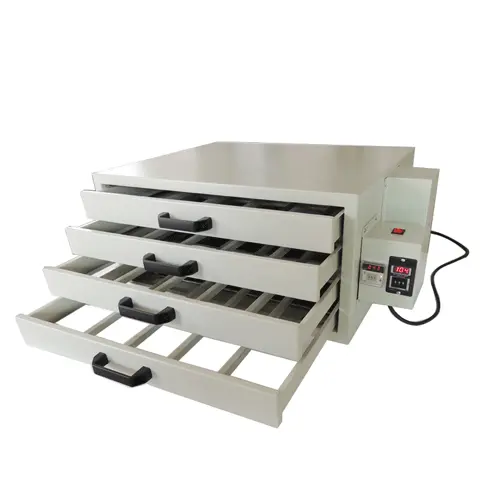
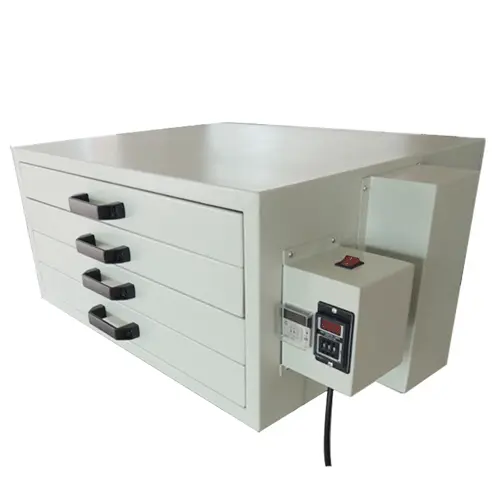
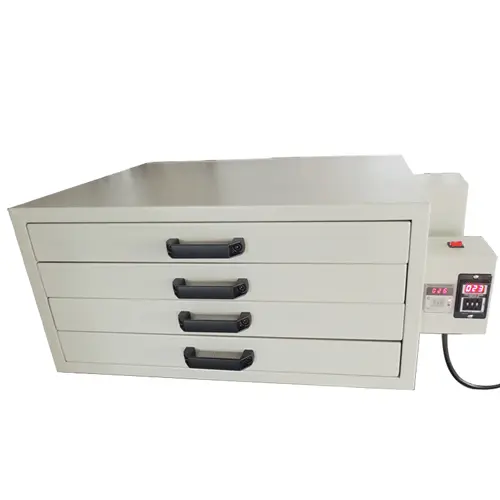
Screen Printing Drying Cabinet JM-DO-1
The JM-DO-1 screen drying cabinet is designed to dry screen-printing frames after photosensitive emulsion has been applied or after a screen has been washed. Its drawer-style trays hold screens flat, with the printed side facing up, helping keep the coated layer smooth during drying.
Product Specifications
- Model: JM-DO-1
- Trays: 4 pieces
- Maximum working area: 64 × 53 × 45 cm
- Maximum temperature: 75 degrees
- Voltage: 110 V / 220 V
- Power: 2000 W
- Weight: 36 kg
- Package size: 89 × 54 × 62 cm
Features and Performance
- An intelligent temperature-control system lets operators adjust heat according to screen mesh heat resistance, ambient temperature, and material requirements. The description states that at a room temperature of 77℉ (25℃), the cabinet’s highest temperature can reach 172℉ (78℃); the listed maximum operating temperature is 75 degrees.
- A built-in axial flow fan circulates hot air to help maintain an even cabinet temperature and support drying efficiency. The fan, described as a type used for large computer equipment, has an approximate service life of 20,000 hours. Screens coated with photosensitive emulsion typically take 2–4 minutes to dry.
- The 100-level temperature adjustment system provides fine control, while the automatic memory function saves the set data for subsequent operation.
- The cabinet has a coated, corrosion-resistant finish and a close-fitting drawer design. Screens can be loaded and moved flat to help preserve a smooth adhesive layer.
- Blade-style heating plates use a double-heat design to support efficient heating and more consistent temperatures across the cabinet and individual trays.
- The feature description states a total power of 800 W and claims 70–90% power savings compared with traditional cabinets rated at 3000–8000 W.
- The four-layer cabinet can hold four frames measuring below 25” × 21” (64 × 53) at the same time, helping users process multiple screens in one cycle.
- Electrostatic spraying on the inner and outer surfaces provides a professional finish that is easy to clean and resistant to rust.
Operating Instructions
- Turn on the switch. The display will show “F000,” and the air fan will start automatically.
- Press “+” until the display reads “F070.”
- Place a thermometer probe on the third drawer and check the temperature after five minutes.
- If the temperature does not meet your needs, press “+” or “-” to increase or reduce the setting by 10 grades. Wait five minutes before checking again.
- Once the desired temperature is set, the machine automatically saves and remembers the setting.
- The display may alternate between “F” and “O” during normal operation.
Temperature Reference
The following reference readings are provided for a room temperature of approximately 77℉ (25℃), with all drawers closed and sealed. Check the temperature ten minutes after setting the controller:
- “F050”: approximately 93℉ (34℃)
- “F060”: approximately 104℉ (40℃)
- “F070”: approximately 115℉ (46℃)
- “F080”: approximately 126℉ (52℃)
- “F090”: approximately 140℉ (60℃)
- “F100”: approximately 167℉ (75℃)
Next Product
Jm Do 2 Drying Cabinet
Get a quote
Send us your requirements
Related Products